


By Sathish Nandagopal, Founder & Director, S Cube Ergonomics Pvt Ltd.
Much of the conversation in organisations of late has focused on culture, collaboration, and productivity in the workspace. Yet one of the most significant factors influencing employee well-being and performance often goes unnoticed: the physical workspace itself.
Workplace design has a profound impact on how people feel, function, and perform every day. When employees spend hours working in poorly designed environments, the consequences extend far beyond temporary discomfort. Over time, awkward postures and inadequate workstation design can contribute to musculoskeletal injuries, including carpal tunnel syndrome, tendonitis, and lower-back disorders. In severe cases, these injuries can force individuals out of the workforce altogether.
This is why ergonomics should not be viewed as a workplace perk. It is a business imperative.
The long-term cost of poor ergonomics often exceeds the investment required to design workspaces properly. Organizations that prioritize ergonomic solutions benefit from fewer injury claims, reduced absenteeism, lower turnover, higher engagement, and improved productivity. Healthier employees are simply more effective employees.
This is particularly relevant in India, where knowledge-based sectors such as IT, business services, financial services, and global capability centres employ millions of desk-based workers. As organizations seek to improve productivity and retention, the quality of the workstation deserves greater attention.
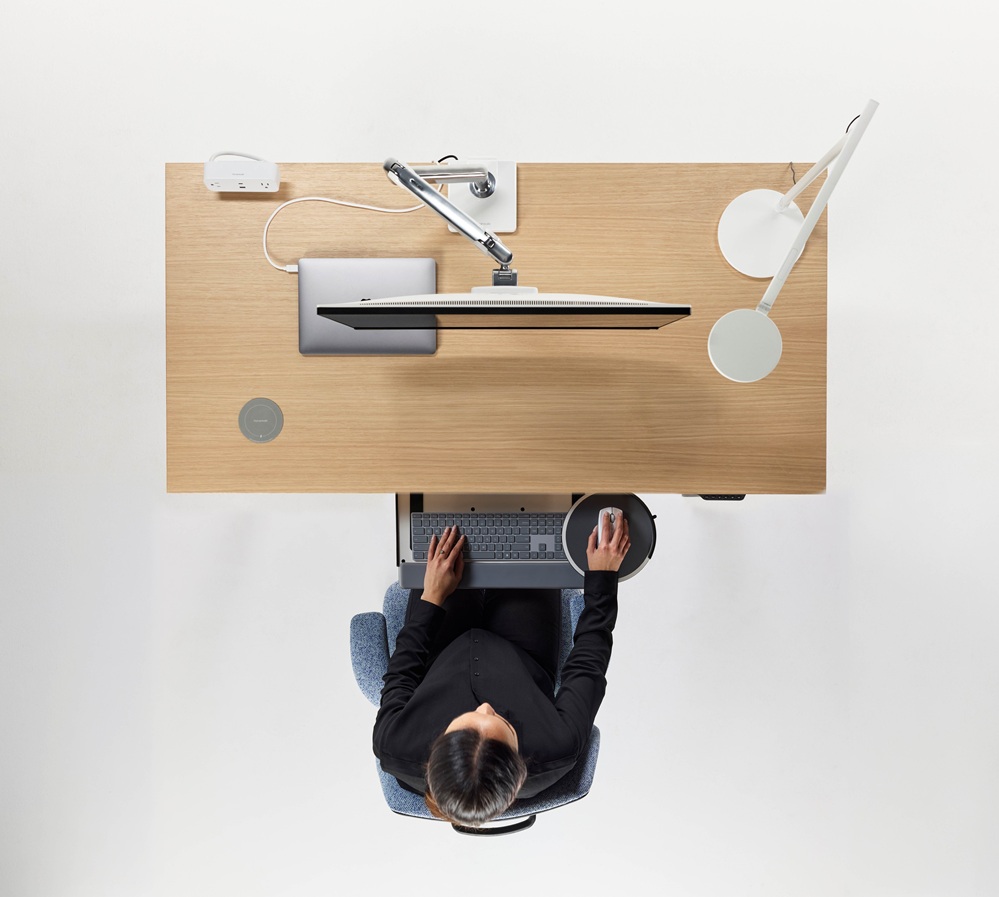
Here are five workplace tools I believe have the greatest impact.
1. Simplify Seating with an Ergonomically Designed Task Chair
For years, there has been a belief that more chair adjustments automatically mean better ergonomics. In reality, complexity often creates barriers to proper use.
Research has found that many office workers do not fully understand how to operate chair adjustments. Fewer than 15 percent of users could correctly identify chair controls, and individuals using chairs with fewer controls reported significantly less musculoskeletal discomfort than those using more complex designs.
The lesson is simple: ergonomics should work with people, not require constant intervention from them.
Chairs equipped with self-adjusting recline mechanisms encourage natural movement throughout the day without requiring users to continually manipulate knobs and levers. The result is a seating experience that is both intuitive and supportive.
2. Encourage Movement with a Sit-Stand Desk
One of the greatest challenges of modern office work is prolonged sitting.
Extended sedentary behaviour has been linked to a range of health concerns, including cardiovascular disease, weight gain, depression, and diabetes. While sit-stand desks are not a cure-all, they provide a practical way to introduce more movement into the workday.
Even small changes can make a difference. Standing for just 15 minutes each hour can improve health outcomes while increasing daily energy expenditure.
The objective is not to stand all day. It is to create opportunities for movement and variation-both essential components of a healthy work environment.
3. Improve Visual Comfort with Task Lighting
As people age, their visual needs change. The ability to focus on nearby objects gradually declines as the eye’s lens hardens and focusing muscles weaken.
By their early sixties, individuals require substantially more contrast than they did in their twenties to perform the same visual tasks comfortably.
Yet many workplaces continue to rely solely on overhead lighting systems that fail to meet individual needs.
A controllable task light offers a simple but highly effective solution. By providing targeted illumination directly over the work surface, task lighting improves visual comfort and reduces the strain associated with reading, writing, and screen-based work.
4. Position Screens Correctly with a Monitor Arm
Digital eye strain has become one of the most common workplace complaints. Many workers report symptoms ranging from eye fatigue and headaches to neck stiffness and back discomfort.
Often, the problem is not the screen itself but its position.
Monitor arms allow employees to adjust screen height, depth, and viewing angle to support better posture and visual comfort. When screens are positioned correctly, workers are less likely to adopt awkward head, neck, and shoulder positions throughout the day.
An additional benefit is improved use of desk space. Elevating the monitor frees up valuable work surface area, helping employees stay organized and work more efficiently.
5. Add a separate keyboard Tray
In many ways, a keyboard support is the heart of an ergonomic workstation. As reach and vision drive posture, a good keyboard tray allows the user to sit in a healthy, neutral posture through bringing the keyboard and mouse to the user in an ergonomic position.
A well-designed keyboard tray offers protection from carpal tunnel syndrome, neck and back pain and other musculoskeletal issues.